AI wedding venue visualiser
Couples see their wedding in your venue before they sign the contract
A couple chooses a space, a style, colours and a table arrangement, and about thirty seconds later gets a photograph of your own venue decorated for their wedding. On their phone, with no sign-in, on your open-day page — and at no cost to the venue.
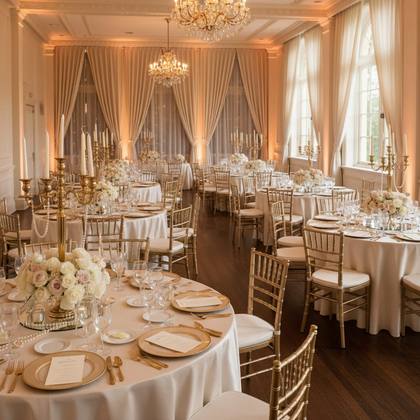
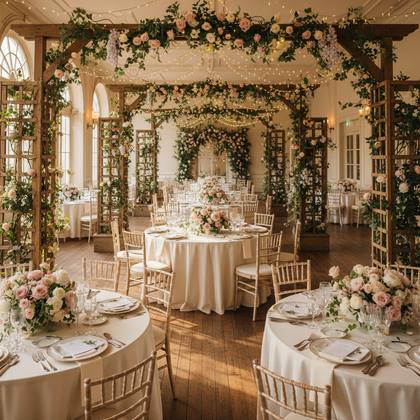
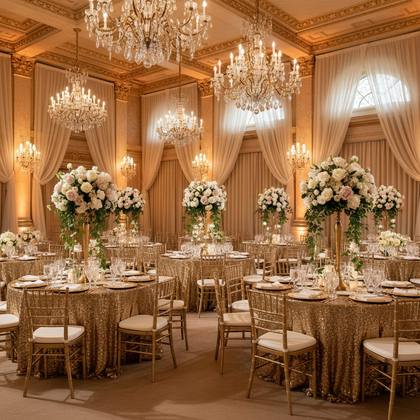
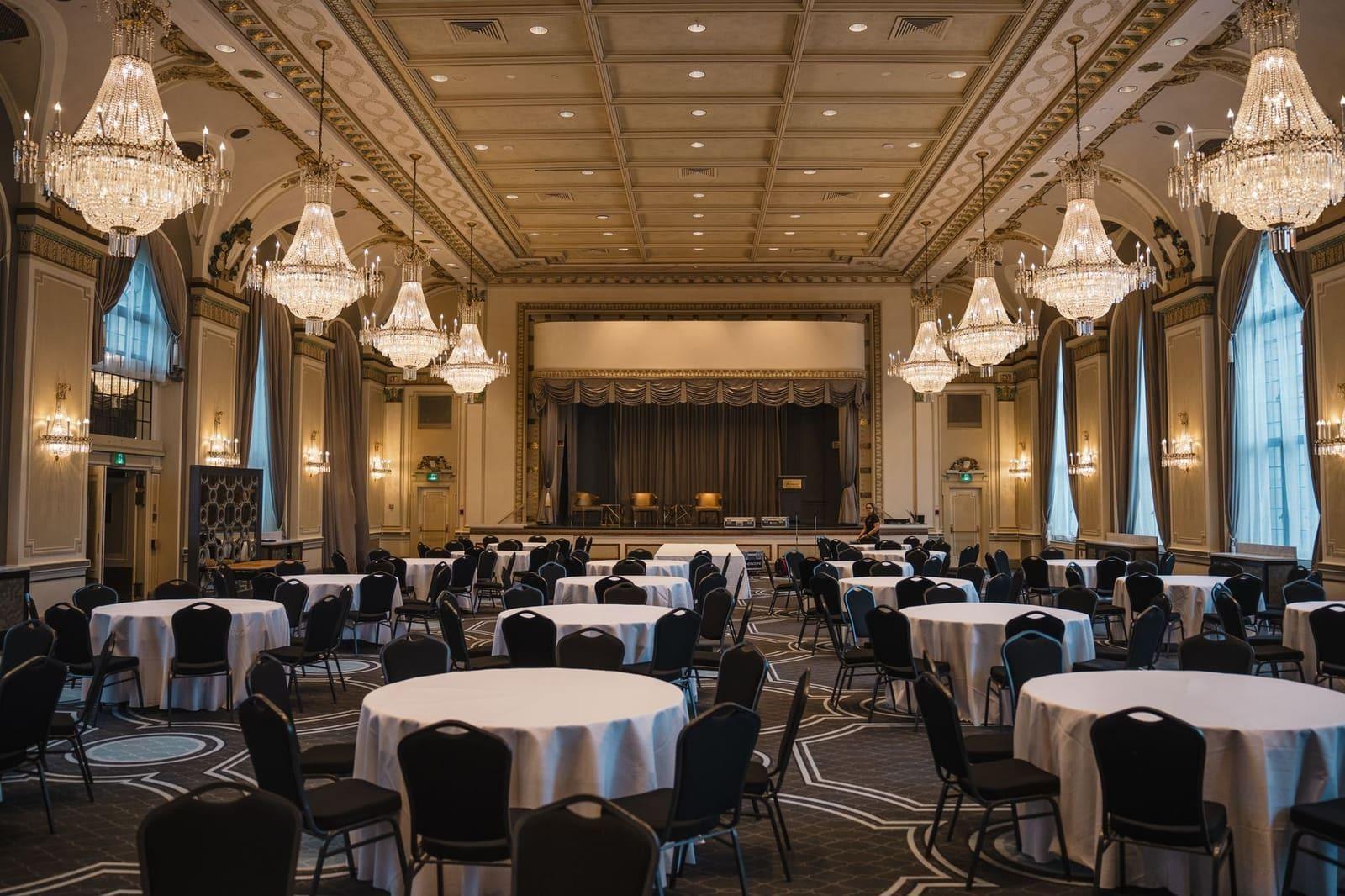 Before
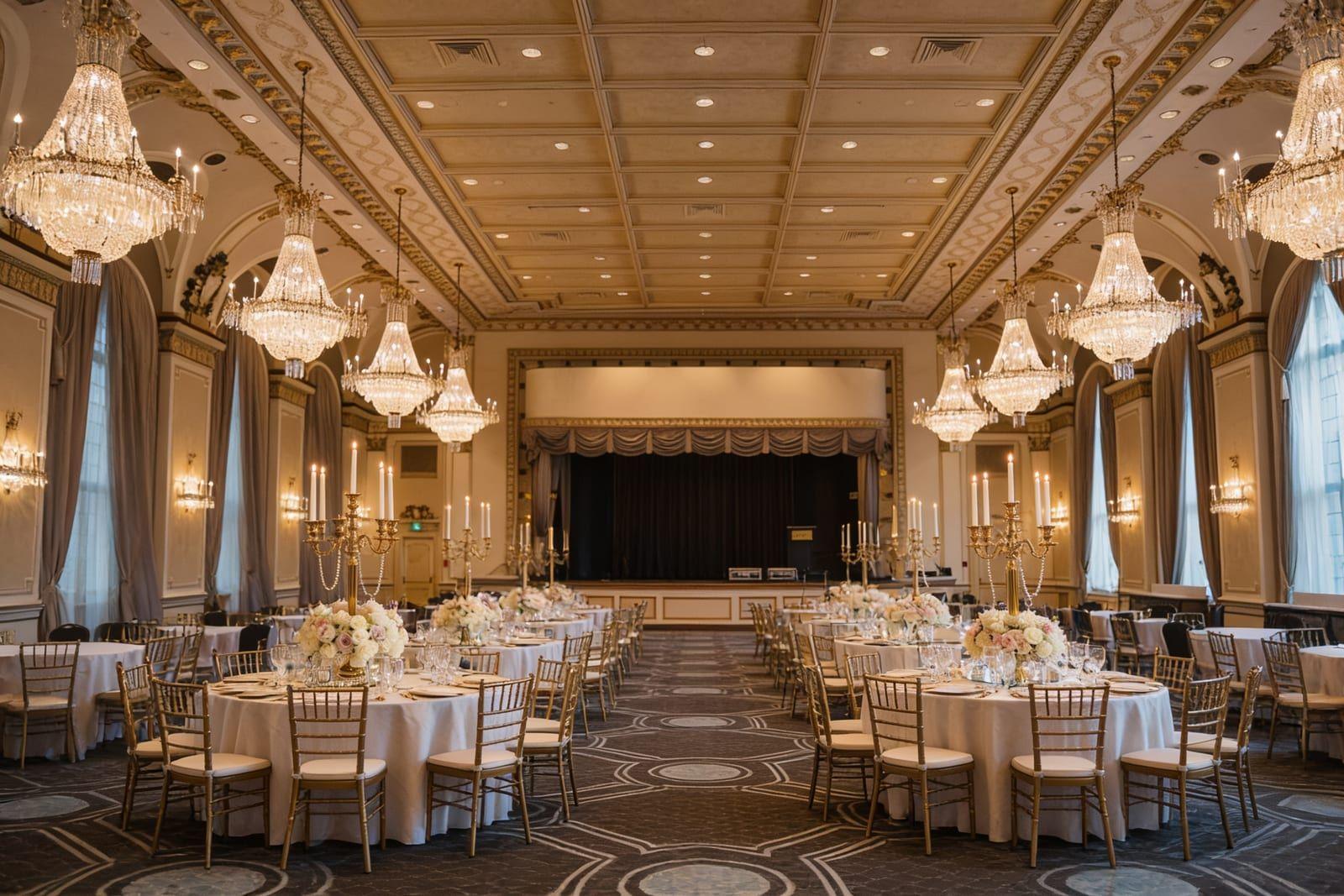 Classic Elegance · White & gold
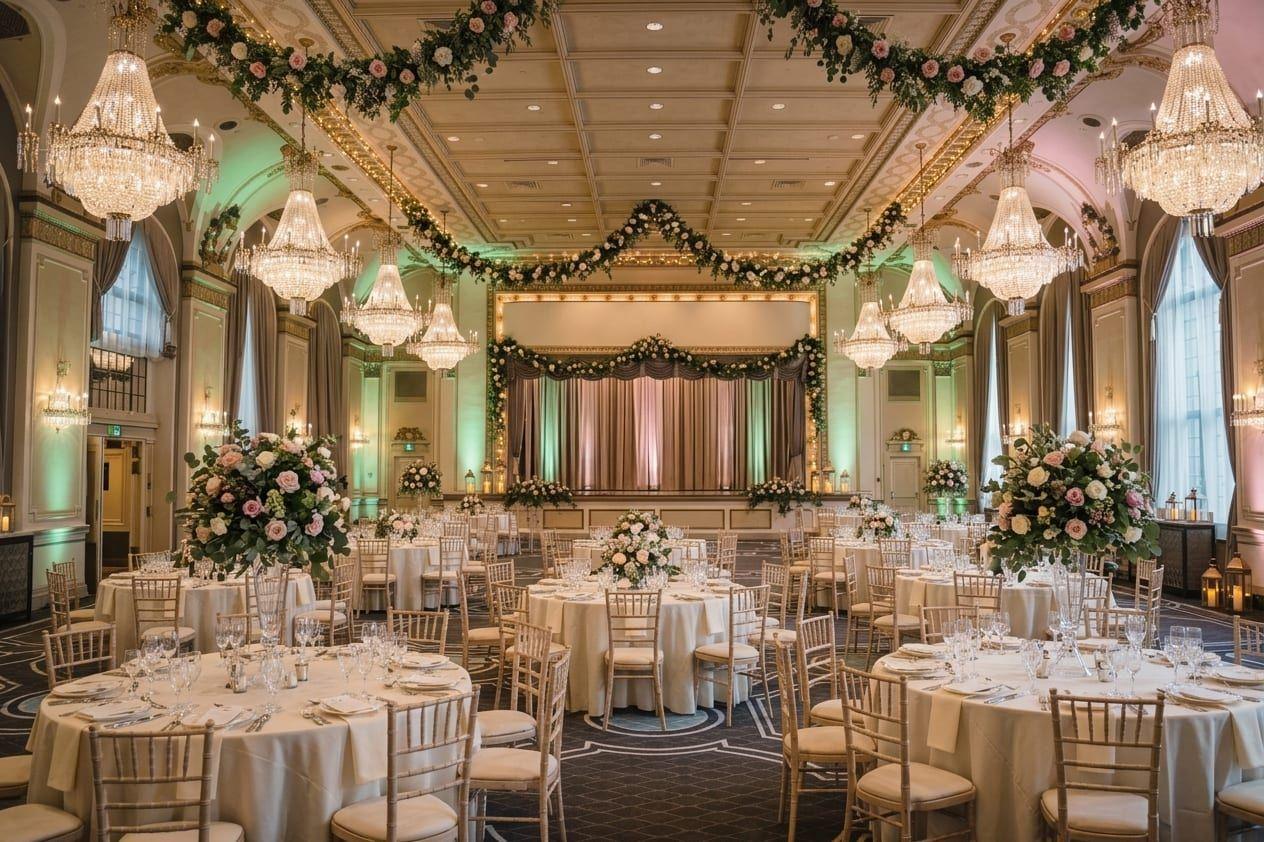 Romantic Garden · Green & pink
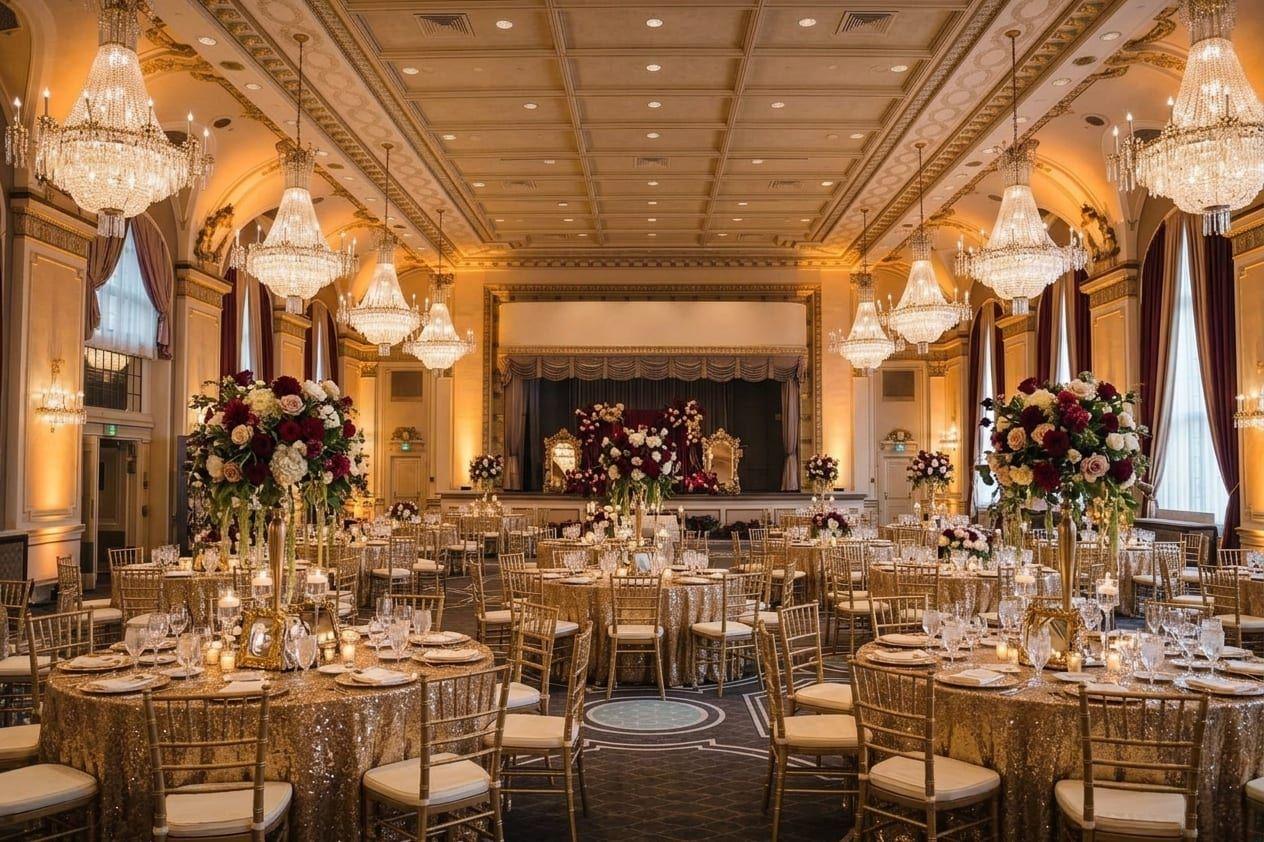 Glamour · Burgundy & gold
How does the AI visualiser work?
The venue adds photographs of its spaces, the couple chooses the decor, and AI decorates the photograph they picked. The decor changes; the room does not.
You add photographs of your spaces
Up to six wide, bright photographs: the hall, the garden, the ceremony spot. Your own interiors, not stock — it takes two minutes in the studio.
The couple chooses what to see
A space, one of ten inspiration styles, colours, a table arrangement and decor elements — or they describe their idea in their own words. No account and no sign-in.
Thirty seconds later, they see their wedding at your venue
A photograph of your room in the decor they chose. They can download it, show it to their family and come back to it later — the browser remembers every visualisation they have made.
The same hall, three weddings
Every picture below was made from one photograph of the empty hall — only the couple's choices changed.
The “after” pictures were generated by the WeddieEvents AI visualiser from the same photograph of the hall, with the choices named under each one. Every render comes out a little different.
What can a couple choose?
A space, ten inspiration styles, eight colour schemes, five table arrangements, ten decor elements and a box for their own words.
- Space
- The hall, the garden or the ceremony spot — any photograph you have added, up to six.
- Inspiration style
- Rustic Woodland, Glamour, Boho Natural, Modern Minimal, Classic Elegance, Vintage, Industrial, Tropical, Romantic Garden, Fairytale.
- Colour scheme
- Eight ready-made schemes, from White & gold to Burgundy & gold — or colours described in the couple's own words.
- Table arrangement
- Round tables, Long tables, U-shaped, T-shaped or Mixed.
- Decorative elements
- Table flowers, Candles, Dessert table, Welcome board, Garlands, Neon LED, Cocktail bar, Balloons, Mirrors, Lanterns.
- Special wishes
- A box for the couple's own words: “peonies and hydrangeas”, “string lights over the dance floor”.
Why does it help you sell a date?
Because the couple stops imagining their wedding in somebody else's venue on Pinterest and starts seeing it in yours.
Pinterest and Instagram show a couple other people's venues. The visualiser shows yours — with its windows, its ceiling and its proportions — in a decor the couple chose themselves. That is the moment “a lovely venue” becomes “our venue”.
A couple creating one version of their wedding after another in your room is no longer comparing offers; they are planning. And the pictures they download and send to their family show your venue to the people who make the decision with them.
At your open day, and after it
The visualiser runs on your event page: guests use it on their phones during the open day, and come back to their pictures at home.
The section is part of your event page on WeddieEvents. You can show it to everyone, or only to guests with the access code — as an extra, say, for the couples who signed up for your open day.
Each guest gets six visualisations a week on their device. All of them stay under the “Your visualisations” button, ready to download. Anyone who wants more moves on to the free weddie.app planner.
In the studio you see every visualisation your guests have created, with the style they chose — so you know what decor a couple pictures for their wedding before they come in to talk.
The visualiser in numbers
Up to six spaces per venue, about thirty seconds per visualisation and six visualisations a week for every guest — at no cost to the venue.
6
spaces of your venue for a couple to choose from
~30 s
per visualisation
6
visualisations a week per guest device
0
what it costs the venue — now and later
Questions about the AI visualiser
What does it cost the venue?
Nothing. WeddieEvents is free for venues, the AI visualiser included, and it will stay that way. We pay for generating the pictures ourselves, which is why every guest has a weekly limit of visualisations.
Does the AI change the room itself?
It should not. The AI visualiser is instructed to keep the walls, windows, ceiling, floor and proportions of the room and to change only the decor. Wide, bright photographs give the best results.
Which photographs work best?
Wide, well-lit photographs that show the whole interior — one for each space a couple might want to see decorated: the hall, the garden, the ceremony spot. A venue can add up to six.
Do guests have to create an account?
No. The AI visualiser works straight away on the venue's event page, on a phone or a computer, with no account and no sign-in.
Are the generated pictures public?
No. Each guest sees their own visualisations and can download them, and you see all of them in your studio. They do not appear on the event page or in search engines.
Can I offer the visualiser only to couples who signed up?
Yes. The section can sit behind the access code, so only the guests you give the code to will see it — for example through the QR code on their invitation.
Show couples their wedding in your venue
Create your open-day page, then add the AI section and photographs of your spaces. No fees and no developer.
Free for venues — no subscription and no commission.