Feature by feature
The wedding venue event platform — every feature, explained
An event page for a wedding venue is built from 17 section types you switch on and off. The same editor handles an open day (an open house, in the US), a wedding fair and a showcase evening. Below is every feature on its own: what it does, what ships switched on, and what does not exist yet.
Updated:
What is an event page made of?
An event page is made of 17 section types — from the hero and programme to the venue map, passport and live gallery — switched on one at a time.
- Hero
- Name, date, venue, countdown and a sign-up button; photo, carousel or film.
- About and Custom text
- Two rich-text bands for your own words; custom text can repeat.
- Programme
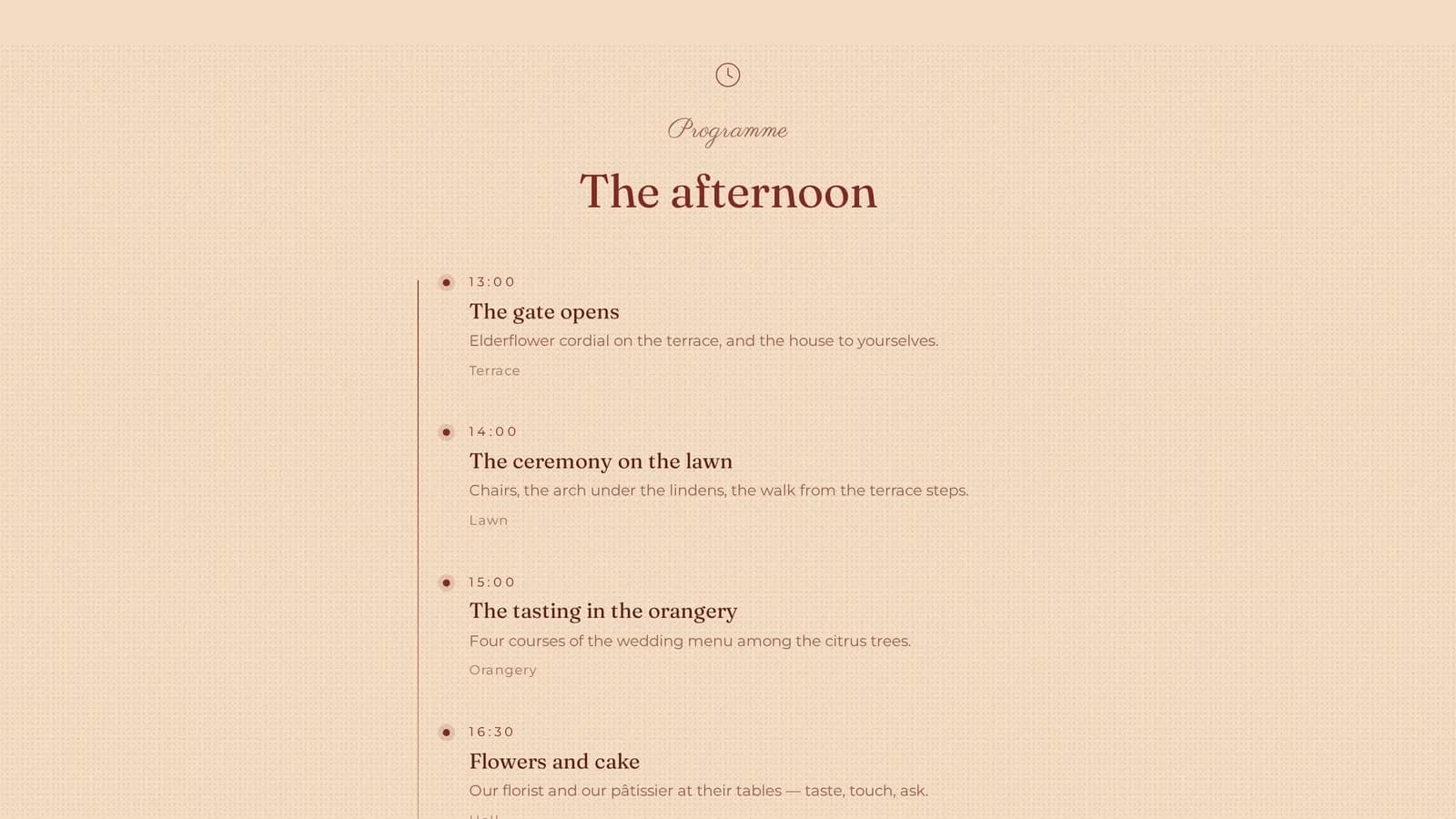
- Time, title, description, location — as a timeline, cards or a list.
- Vendors
- Supplier cards with logo, category, description and links, each with a profile.
- Gallery
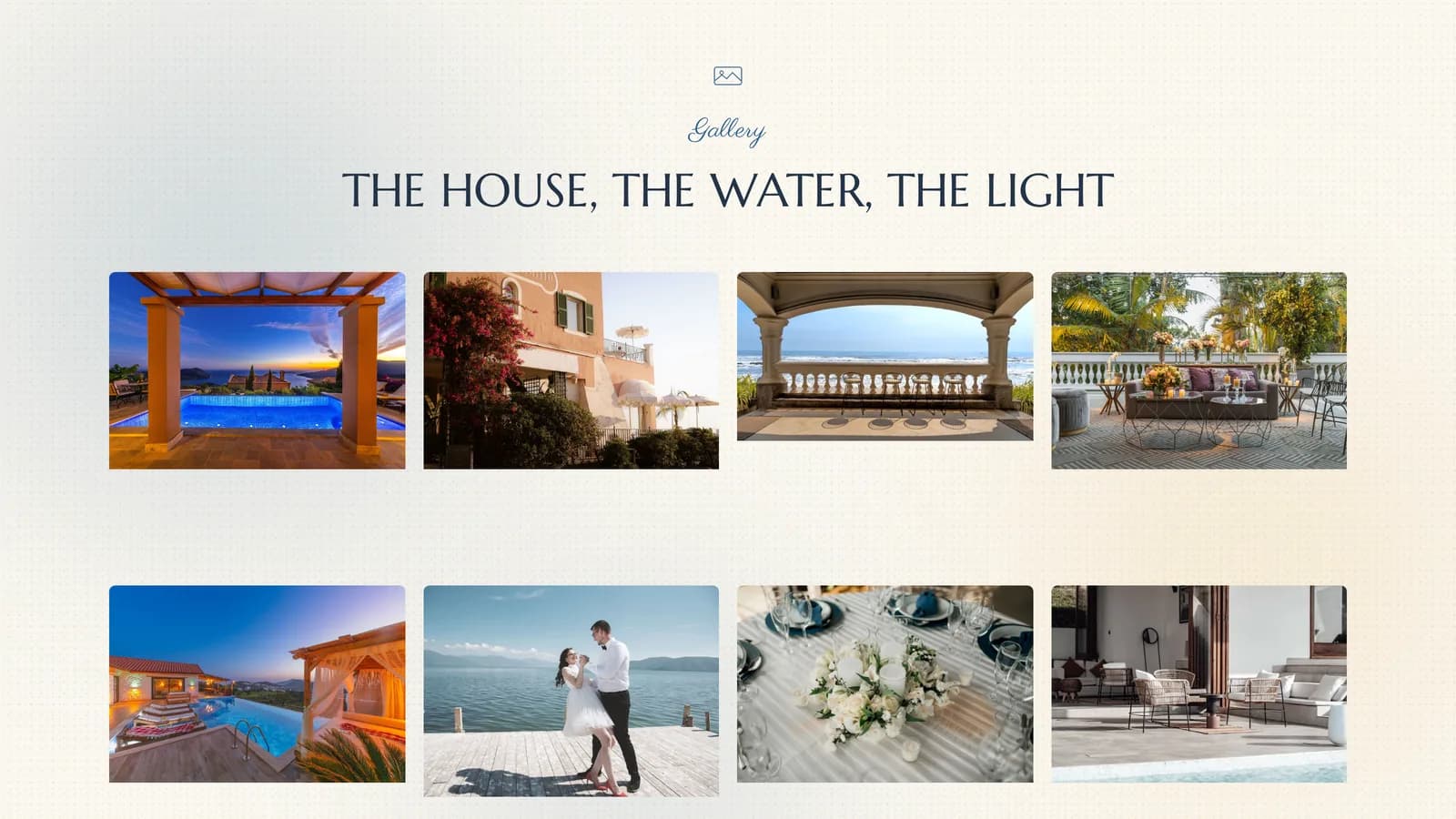
- Photographs as masonry, grid or filmstrip, with a full-screen lightbox.
- Live gallery
- The section guests write to, uploading from their phones during the day.
- Menu (food experience)
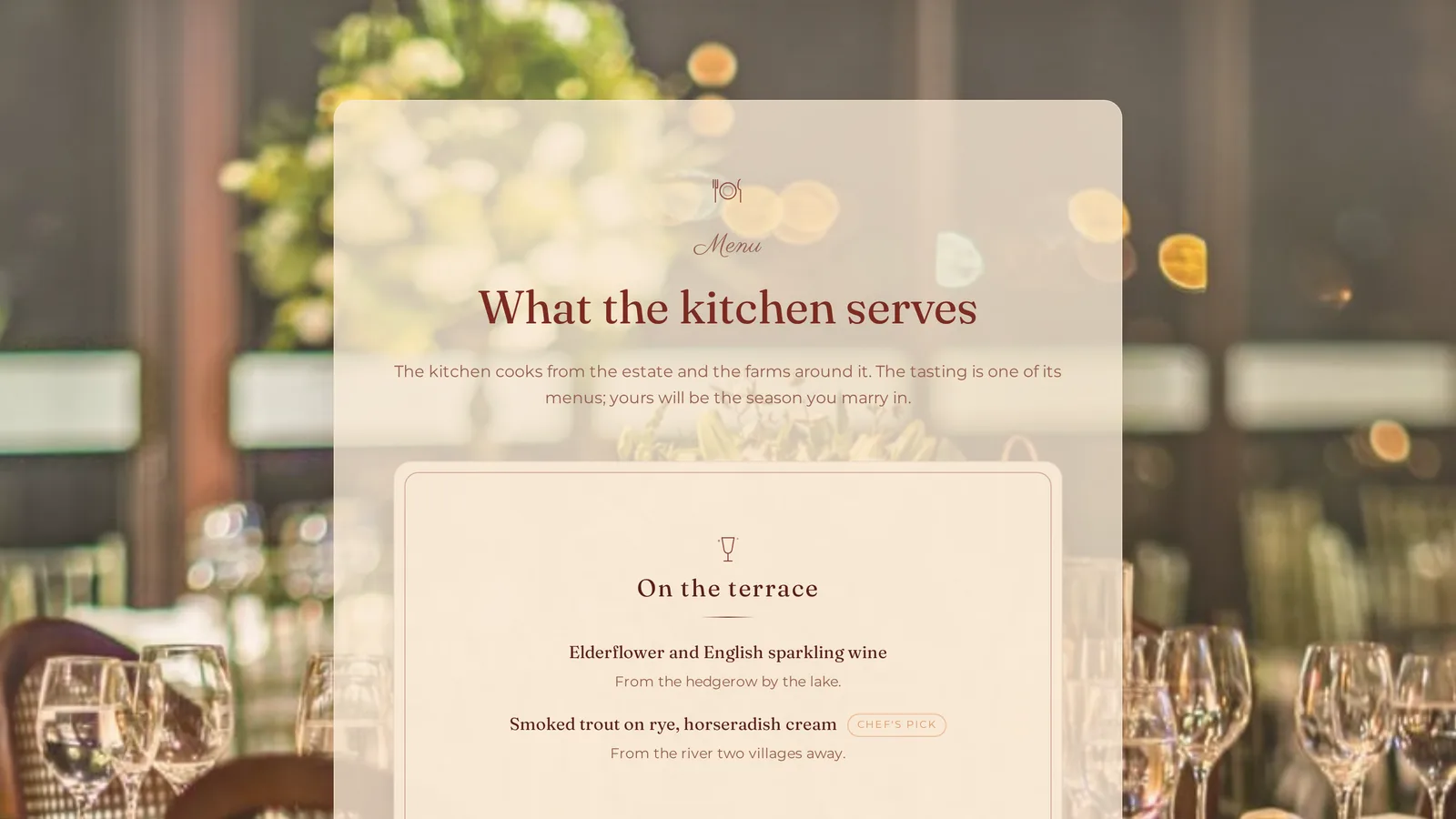
- A tasting card: categories with an icon, dishes with dietary tags.
- Offer
- Packages: name, description, a price-from line and what is included.
- Registration and Date checker
- Two forms: sign up for the day, and ask whether a wedding date is free.
- FAQ, Directions and Contact
- Answers, a map, and named people rather than a switchboard.
- Venue map and Event Passport
- Booths on your own floor plan, and QR stops around the property.
- AI — See your wedding
- Your own hall photograph, returned decorated in the couple's chosen style.
A new event starts with five sections already in place — hero, about, programme, vendors and registration. You add the rest when you need them.

How do you build an event page without a developer?
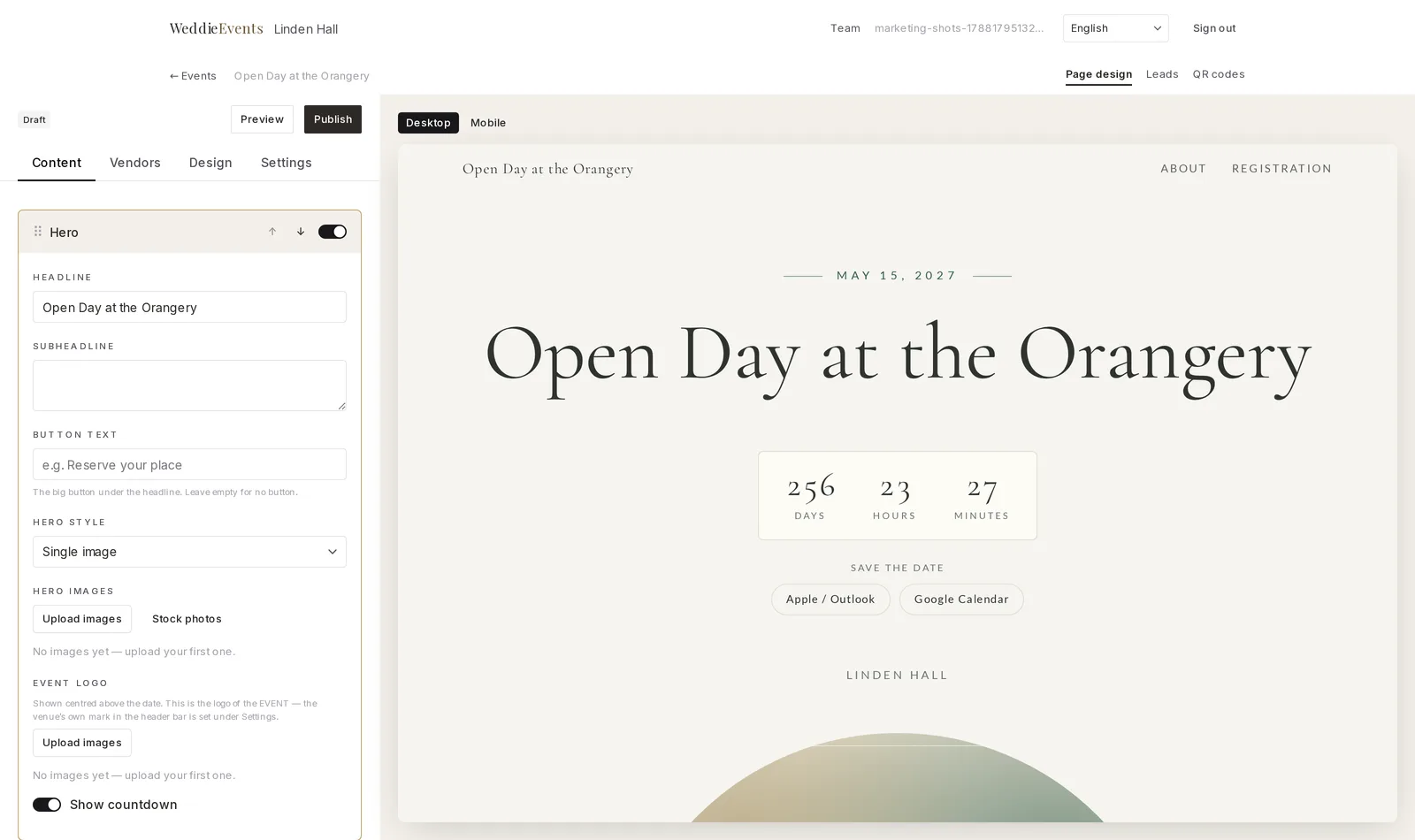
You build an event page in an editor with four tabs — Content, Vendors, Design, Settings — and a live preview beside them; everything saves itself as you type.
Sections are reordered by dragging, switched off without being deleted, and renamed in your own words: call your suppliers Partners and that word appears in the menu and above the section itself. Text is written as you would in a word processor, and the colours come from the theme, so nothing can be authored unreadable.
Saving happens about 0.7 seconds after you stop typing, separately per section. The save indicator turns red on the one item that failed, so you never discover a lost paragraph an hour later. The preview beside you toggles between desktop and phone width, and goes full-screen on a phone.
How do you collect open-day sign-ups online?
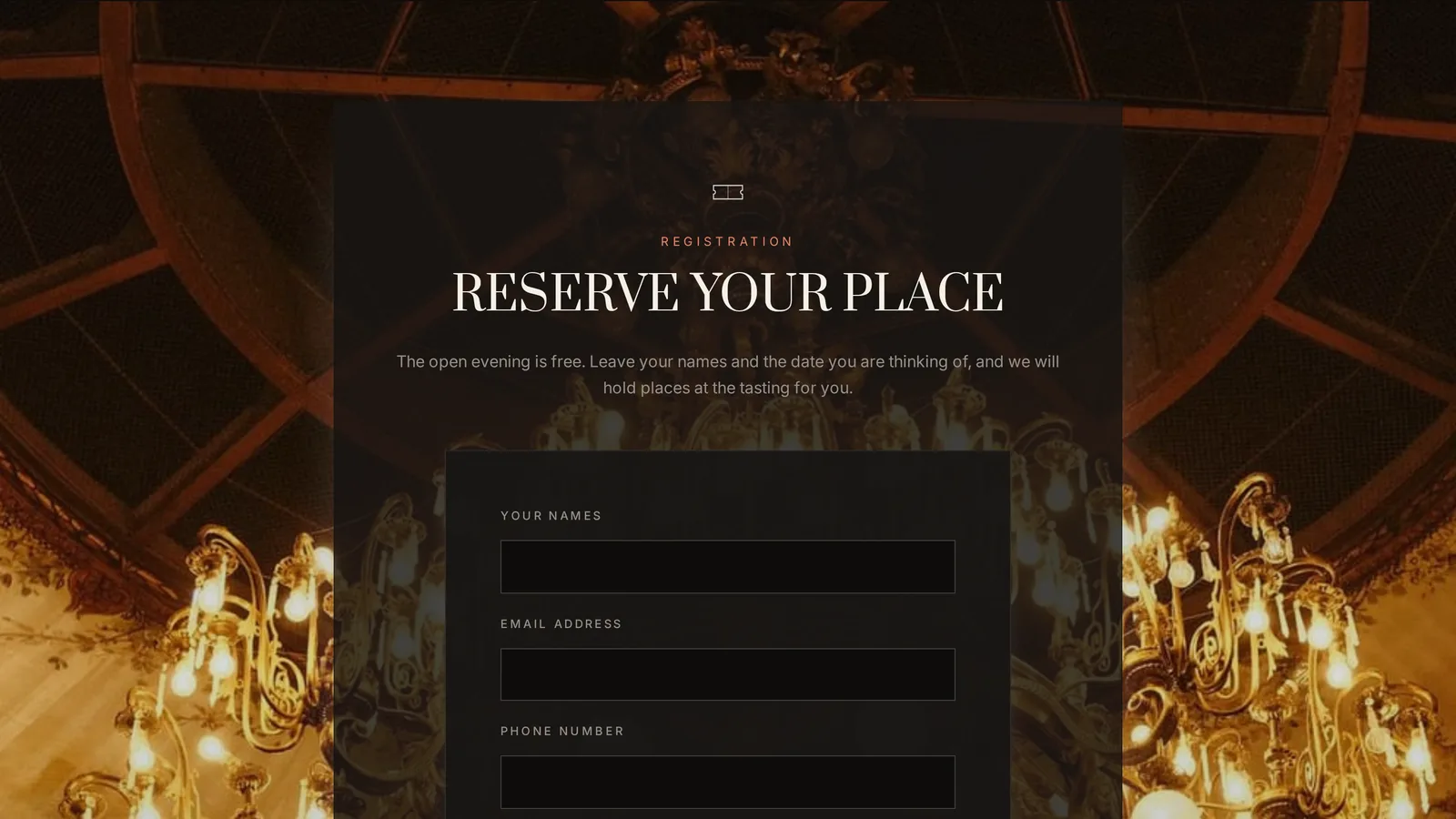
The registration form asks for the couple's names and email, optionally the wedding date, guest count and phone, and requires explicit consent to be contacted by the venue.
The wedding date is the one optional question asked by default. Guest count and phone you add yourself if you want them, and the message box is optional. You can also cap places, for the room with a capacity you would rather not exceed.
Consent is a separate required field carrying your venue's name in its wording, not buried in a terms link nobody clicks. Every sign-up lands in the Registrations table with columns for Couple, Email, Phone, Wedding date, Guests and Received.
“Is your wedding date free?” — how the date checker works
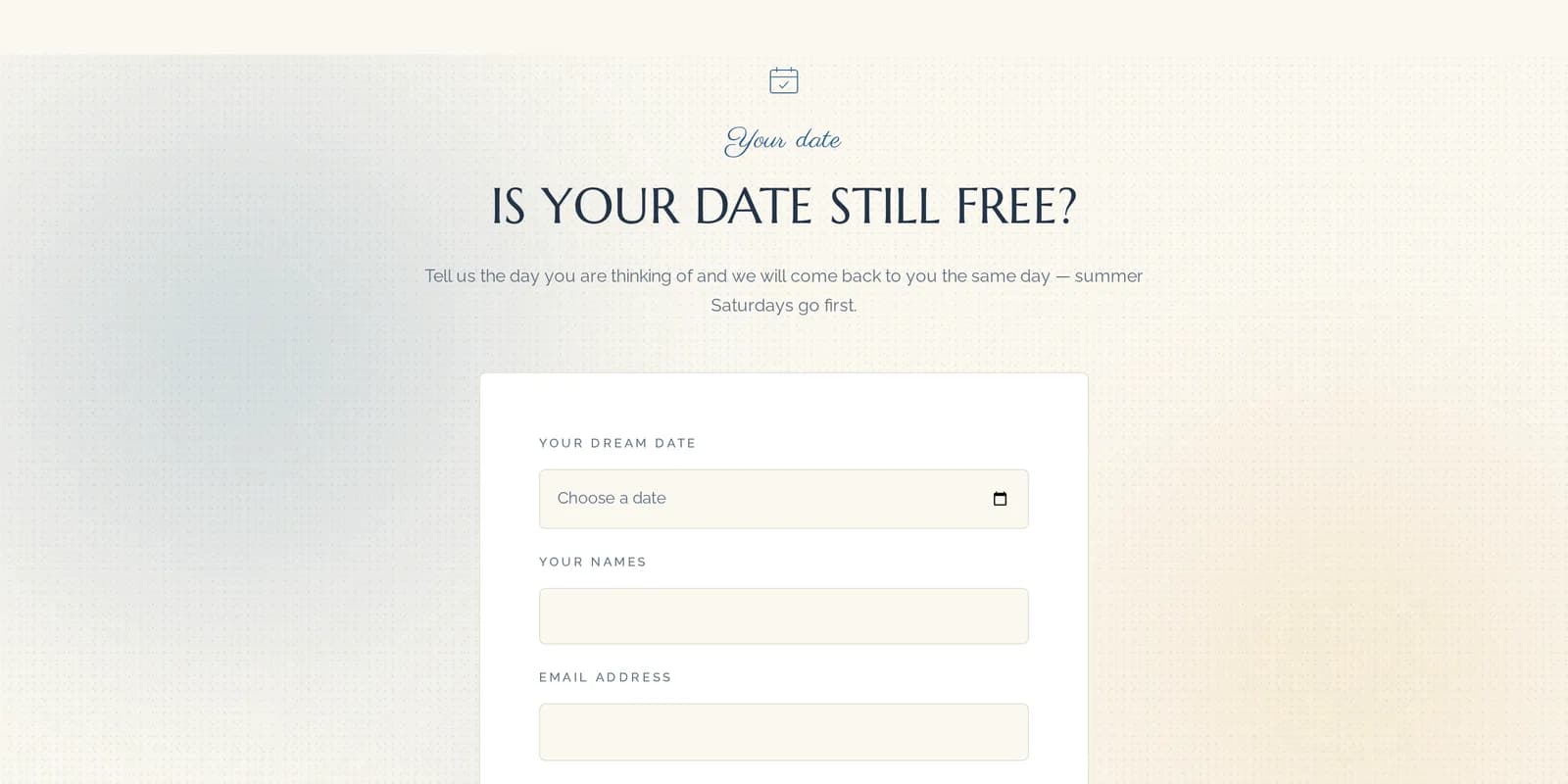
A couple picks their wedding date, leaves names and an email, and the enquiry lands in Date inquiries with the requested date as its own sortable column.
“Is the date free?” is the first question every couple asks, and the last thing a contact form is built for. It arrives by phone all winter, and it arrives in the search box with a year attached — “wedding venue dates available 2027” — because the couple already has a Saturday in mind. The date checker puts that question on the event page itself.
The difference is the shape of the data. A contact form produces a paragraph of prose you have to read to find the date. This produces a date: a sortable column, so you can see how many couples are asking about the same Saturday and who to answer first. Eventbrite and Luma have no concept of it — they know the date of the event, not the date the attendee is asking about.
Can suppliers manage their own profile?
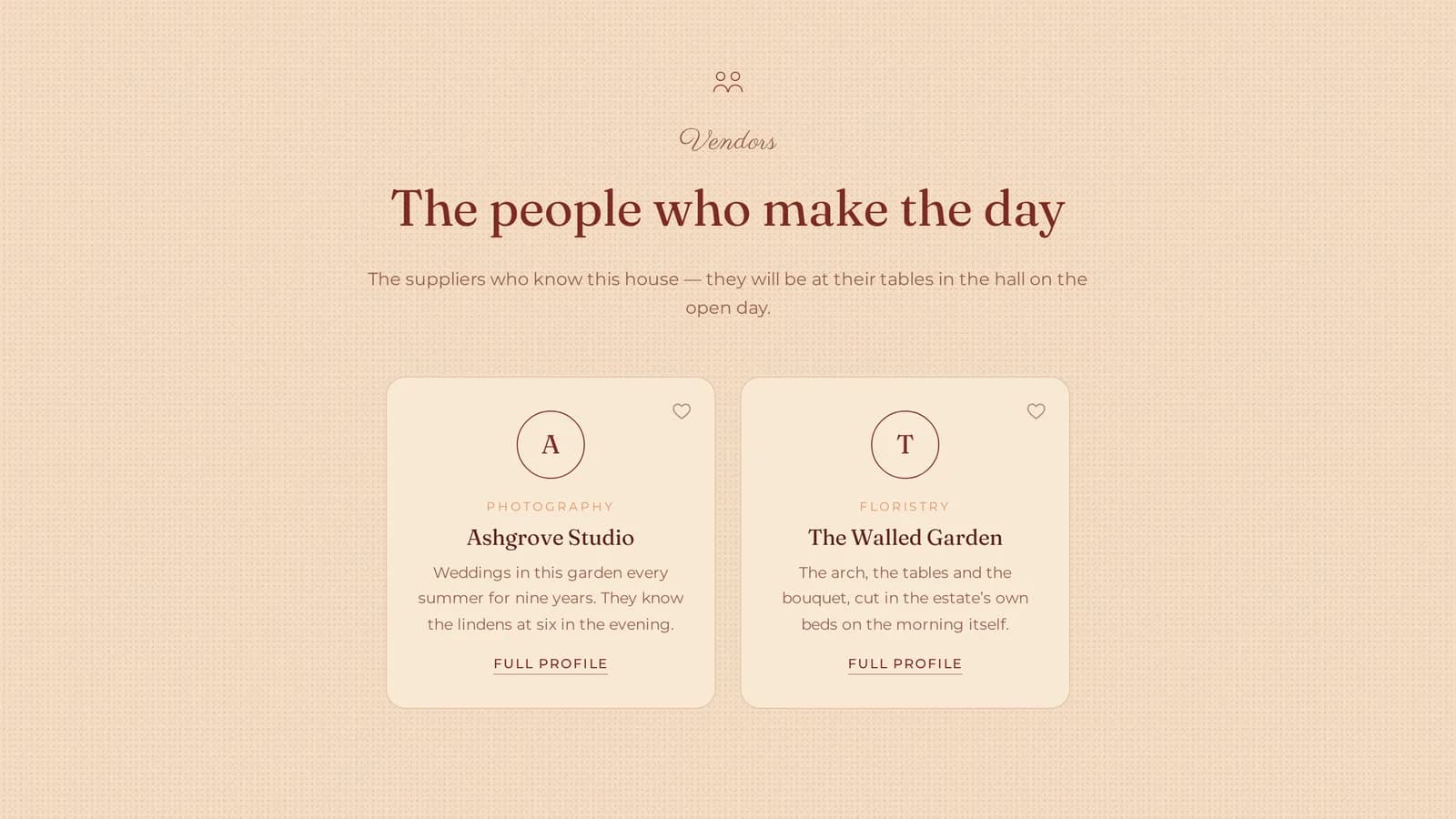
You invite a supplier by email; they sign in and edit only their own card — description, links, logo and up to eight photographs — and print their own stand QR.
A supplier card holds a logo, category, description, website, Instagram, Facebook, phone and email, and opens a full profile page with the portfolio behind it. Fourteen categories are suggested — photographer, videographer, band, DJ, florist, cake maker, photo booth and so on — but the field is free text, so you type your own.
A supplier holds no role in your venue account. They see and change their own row and nothing else, which is the difference between this and inviting a collaborator into a website builder. Thirty profiles you did not have to write, and thirty businesses with a reason to promote your day.
How do you publish an hour-by-hour open day programme?
You type the programme once — time, title, description, location — and on the day the same programme becomes a Now / Next bar at the top of the page.
The programme comes in three layouts: a timeline, cards or a plain list. Each item is a time, a title, a description and a place — the tasting in the barn, the first-dance demonstration on the floor, the table styling in the walled garden. It is the most-asked question before an open day, so publishing it once beats answering it thirty times.
The live programme bar is the only feature that ships switched on, and the only one you have to switch off deliberately. It appears on the day of the event alone, shows what is on now and what is next, and copes with a programme that runs past midnight. The times are never typed twice.
How many kinds of QR code does the platform print?
The platform prints four kinds of QR code from one sheet: the event page, the guest zone, each supplier's stand and each passport stop.
- The event page code
- For invitations, posters and the window of the venue itself.
- The guest-zone code
- Unlocks the zone the moment it is scanned, with no digits to type.
- A code per supplier stand
- Opens that supplier's profile and counts the stand scans.
- A code per passport stop
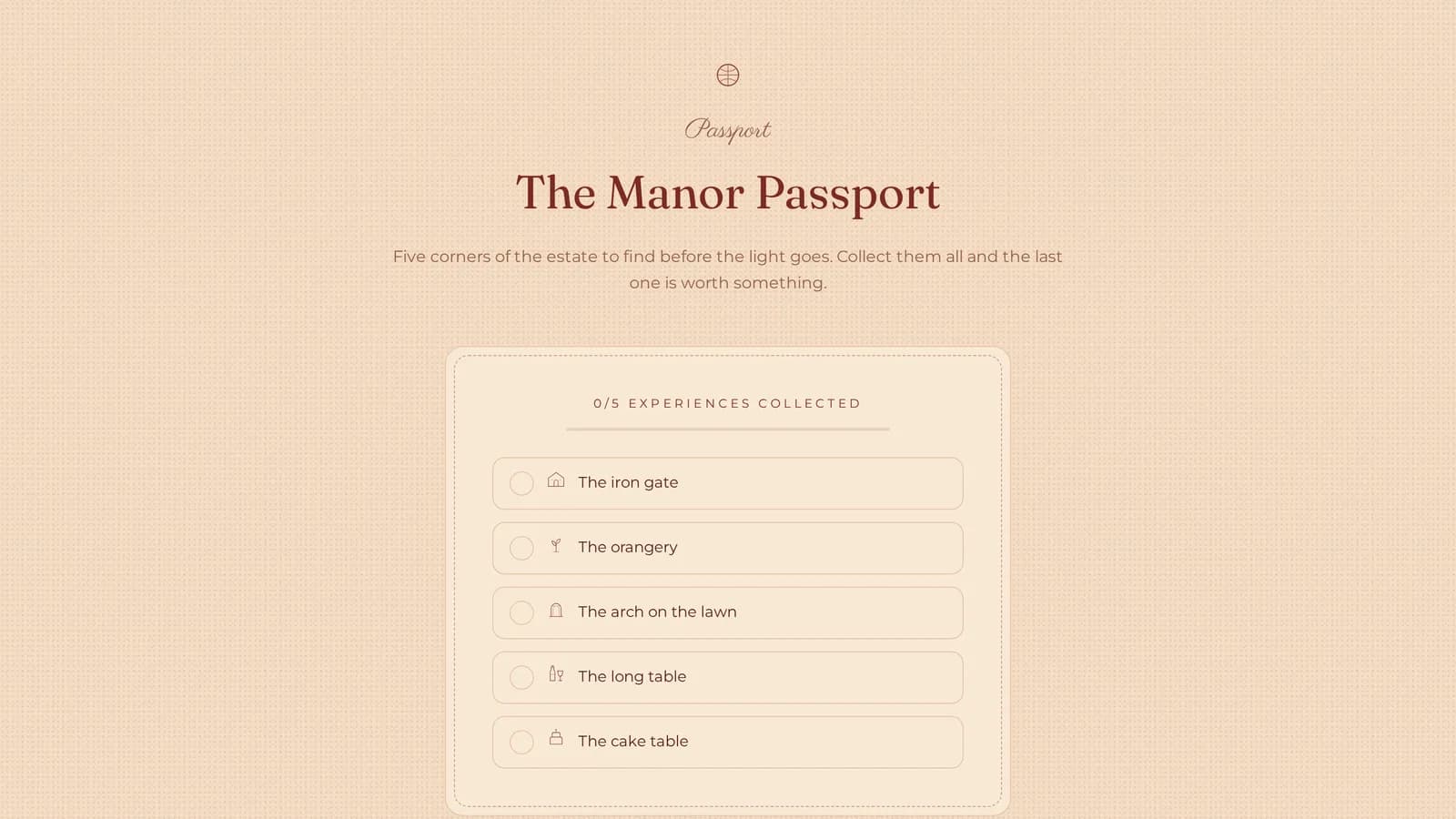
- One per experience; a full set reveals the venue's reward code.
- Always in your language
- Every URL carries the event's language, so a page never opens in a language you did not write it in.
- One printable sheet
- Every code on one page, each also downloadable as an SVG.
- Renaming warns you
- The editor says plainly that printed codes will stop working.
The QR sheet is owner and admin only. Print once, cut, place — it is the whole physical layer of the day, made from the page you already built.
How do you put part of the page behind a PIN?
You set a four- to eight-digit access code, and sections marked Restricted are not rendered at all until a guest enters the code; changing the PIN revokes every access granted.
A restricted section is not hidden with CSS and not covered by an overlay — it is not in the page's HTML at all until the code is given. That is the difference between content you sell and content anyone can read in the page source: the post-event gallery, a package price or the AI experience stay behind the door.
The access cookie is signed against the event and the current PIN together. Change four digits the next morning and every access ever granted is revoked, with no list to clean up. The zone can carry your own name, which then appears above the section and on the printed code card. There is no guest zone until you set a PIN.
How does the interactive floor plan work?
You upload your own drawing of the hall and drag booths onto it; a guest taps a booth on their phone and gets that supplier's card.
The venue map is your plan — a drawing, a sketch or a photograph of one — and in the editor you drop points onto it and attach a business from your supplier list. Positions are stored as percentages, so the plan behaves the same on a phone and on a large screen.
A photograph of a floor plan in a gallery is not clickable, and a PDF stand list is not a page. At thirty stands that is the difference between a crowd that finds its way and a crowd that leaves. The venue map is off by default — you add it when an event has booths, which usually means a wedding fair.
What does the Event Passport do?
The Event Passport is a set of QR stops around the property: guests scan them as they go, and a full set reveals a reward code the venue writes itself.
You invent the stops: the tasting in the kitchen, the sweet table, the bridal suite, the walled garden. Each has its own hand-drawn icon and its own QR code on the printed sheet. The job of the passport is to route people around the property instead of letting them cluster at the bar.
Progress lives in the guest's own browser. There is no account, no sign-in and no visitor profile on our side — the only thing that reaches the venue is the number of completed passports. The reward is text you write: a discount code, a tasting voucher, whatever makes sense in your pricing.
Who uploads the photographs to the live gallery?
Guests upload the photographs to the live gallery, straight from their phones during the day; they can delete their own, and the venue can delete any of them.
The live gallery is the only section guests write to. A photograph lands in your own private storage, not on somebody else's hashtag, and appears on the page within seconds — the gallery refreshes every 25 seconds while anyone has it open. It holds 500 photographs per event and thirty per phone.
What you keep afterwards is a folder of real photographs of a full room, taken and freely given by the people who were in it. Venues rarely have that, because a photographer is booked for a wedding, not for the venue's own event. The section is off by default, and you decide whether it sits in front of the access code or behind it.
AI — See your wedding: what does it actually do?
A couple picks a style, colours, a table arrangement and decor elements, and a photograph of your own hall comes back decorated for their wedding — three times per guest.
There are ten inspiration styles, eight colour schemes, five table arrangements and ten decor elements, plus a free-text box for the couple's own words. The base is up to two photographs of your hall, chosen by an owner or admin — not stock, and not somebody else's room.
Pinterest shows a couple somebody else's venue. This shows them yours, with its windows, its ceiling and its proportions. The counter of renders left sits on screen from the first click, so nothing quietly runs out. A couple who spends three renders on your hall is not browsing any more; they are choosing.
How many themes are there, and how far does the design go?
The platform carries 12 themes and 12 hero compositions, chosen independently — 144 pairings — plus five colours you can override and 48 curated type pairings.
- 12 themes
- Each with its own palette, type, corners, ornament and layout logic.
- 12 hero compositions
- The skin and the composition are separate choices, so 144 pairings.
- 5 colour overrides
- Primary, accent, background, surface and text, on any theme.
- 48 type pairings
- Eight heading faces by six body faces, curated in advance.
- 12 decor controls
- 5 textures, 6 wedding motifs, 2 ambient motions and 9 effects, all off.
- Theme illustration
- Four themes carry a page-scale drawing made for them; optional.
- Venue logo and tab icon
- A header logo and a separate browser-tab icon, set independently.
- Backdrop photography
- Six sections take a full-width photograph, in two strengths.
12 decor controls: 5 textures, 6 motifs, 2 ambient motions and 9 effects you switch on one at a time — all off by default.
How do you show photographs a couple actually finishes?
The gallery runs in three layouts — masonry, grid and filmstrip — with a full-screen lightbox; photographs come from your phone or from a free stock library inside the editor.
A photograph is downscaled in the browser before it is ever sent, so uploading straight from a phone works on the venue's own patchy signal. Every photograph has a description field that becomes its alt text — one field covering both accessibility and the way the page is read aloud.
If you have three phone snapshots and nothing else, the editor has a free stock library built in. The photographs you pick are copied into your own storage and the photographer is credited in the footer, so the published page makes no third-party requests. The library belongs to the venue, so a photograph used once is ready for the next event.
How do you show the wedding menu before the tasting?
The Menu section sets out the wedding menu as a tasting card: categories with a hand-drawn icon, dishes with descriptions, and vegetarian, vegan, gluten-free and chef's-pick tags.
Food is the largest line on a wedding invoice, and the per-head price is the first thing a couple asks about. A menu set out as a tasting card — dish name, one sentence of description, a category icon — does the part of that conversation you would otherwise have on the phone.
The icons are drawn rather than lifted from an icon set; there are twenty-one of them for courses. The dietary tags work as an attention filter: a couple with a vegan in the family sees the answer before they ask. The section also takes a full-width photograph behind it.
Should you put package prices on the event page?
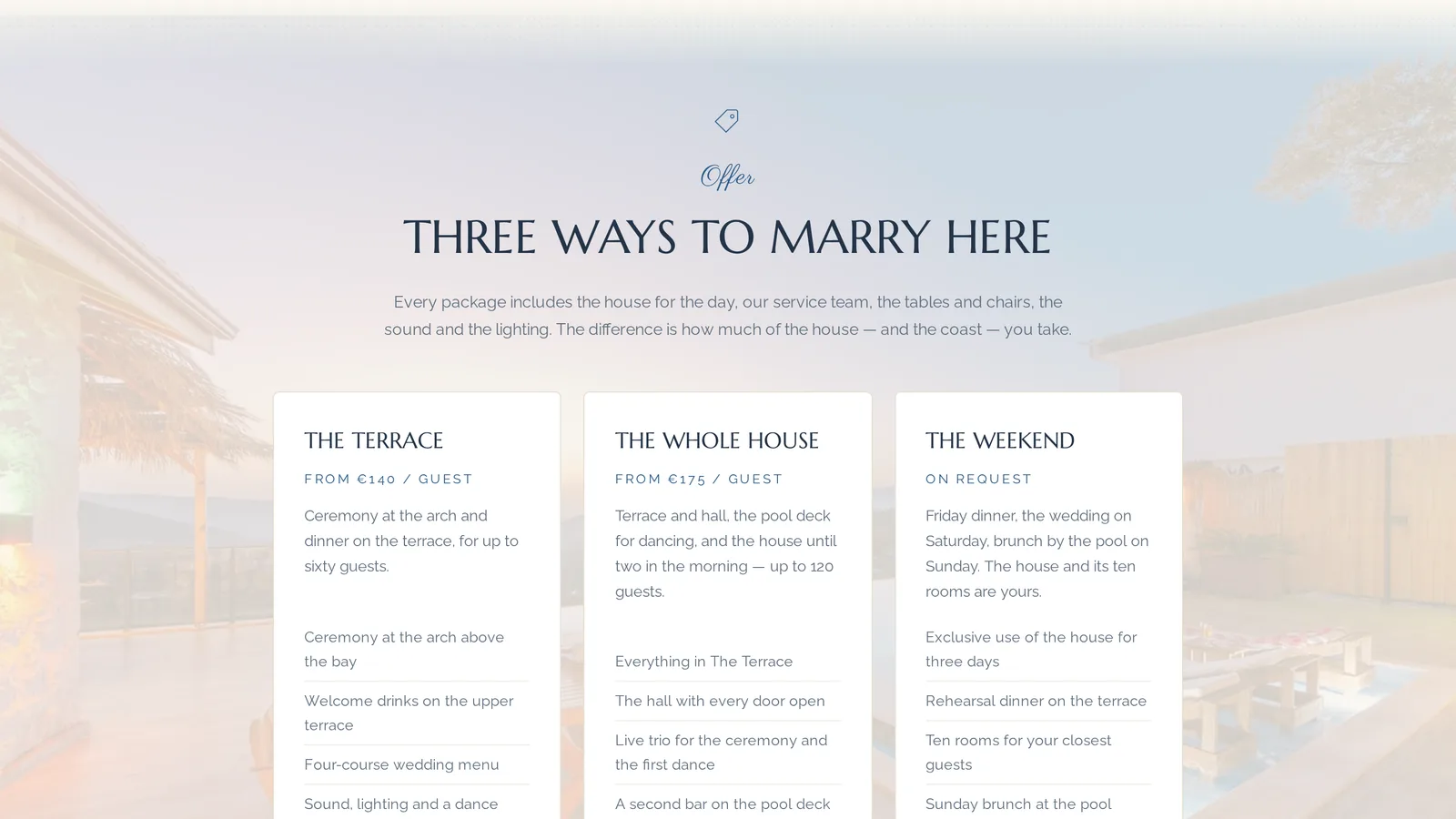
The Offer section shows packages with a name, a description, a list of what is included and a price-from line, which is indicative rather than final.
This is a commercial decision, not a technical one, and the platform does not make it for you. The mechanics are simple, though: a price-from line stops the twenty enquiries that were never going to book, and warms the ones that were.
A package carries a name, a description written as ordinary prose, a price-from line and a list of what it includes. If you would rather publish no prices at all, keep the list and drop the line — or mark the section Restricted and show it only to guests who came in with the access code.
Where do enquiries land, and what is in them?
Enquiries land on the Leads screen as three lists: registrations with the couple's details, date inquiries with the requested date, and questions from the contact form.
- Registrations
- Couple, email, phone, wedding date, guests, message and received.
- Date inquiries
- Names, email, message and the requested date as its own column.
- Questions
- Contact-form messages, kept in a list of their own.
- Consent to be contacted
- A separate required field naming the venue, stored with every sign-up.
- Nothing emails you
- No notification arrives; you open this screen to read them.
- There is no export yet
- No CSV or Excel export exists; leads are read on screen.
- Owner and admin only
- Staff write page content and never see this screen at all.
- Forms that survive a day
- Budgets are generous, because 150 phones share one venue connection.
- Asking twice is allowed
- A couple who registered can still send a question afterwards.
Above the tables sit eight numbers: page views, guest-zone views, QR scans, registrations, date inquiries, questions, vendor saves and passports completed.
What exactly does the platform measure?
The platform measures eight numbers per event and three per supplier, stored as daily totals — with no visitor profiles, no tracking pixels and no tag manager.
- Profile views
- How many times somebody opened that supplier's profile.
- Stand scans
- How many times the QR code on their stand was scanned.
- Saved by couples
- How many couples put them on their saved-vendors list.
- Daily totals, not trails
- Every number is a count per event, per metric, per day.
- No pixels, no tag manager
- No Meta pixel, no GA4, no third-party tracker anywhere.
- Guest state stays on the phone
- Saved vendors and passport stamps live in the guest's own browser.
- Three functional cookies
- Guest-zone access, the AI render counter, the upload budget.
- What the numbers are for
- A supplier's three numbers are how next year's stand is sold.
Statistics are owner and admin only. Vendor interactions are the report you hand each business after the day, one at a time.
What languages does the guest page work in?
The studio and the page interface speak English, Polish and Bulgarian. The event's content is written in one language, which fixes the page address and every printed QR code.
This has to be said precisely, because it is easy to promise too much here. What is translated is the chrome: buttons, labels, section names and form messages — everything you do not write. Your own sentences, the description, the programme, the dishes, the packages and the FAQ answers, exist in the one language you wrote them in.
That language sets the page's canonical address and is baked into every QR code on the printed sheet, so the page never opens in the wrong language for a guest standing at your door. If you host weddings for couples from abroad, that becomes a separate event with its own address — not a second language version of the same page.
Who on the team sees what?
A venue has three roles: Staff write page content, while publishing, settings, the PIN, section visibility, the Leads screen and the QR sheet belong to Owner and Admin.
The split is drawn around one thing: couples' phone numbers. An event coordinator can write the programme, fix the description, add photographs and fill in the menu, which is everything the job actually needs. They will not see the Leads screen, cannot publish the page and cannot change the access code.
Invitations go by email and sign-in is a magic link, so there is no password taped to the reception desk. Ownership can be handed over when a venue changes hands. One account holds up to five venues, and one venue's team holds up to fifty people, pending invitations included.
What happens to couples' data?
The venue is the data controller. Consent is a separate required field, analytics are daily totals with no visitor profiles, and files sit in a per-venue bucket in the EU.
There is no compliance badge here, because a badge is not an answer to the question a couple will actually ask you. The mechanism is the answer. Consent to be contacted by your venue is a separate field carrying your name in its wording, required at sign-up and stored alongside the enquiry. It is not folded into a terms link nobody clicks.
Statistics are counts per event, per metric, per day — there is no route from them back to a person. There is no Meta pixel, no GA4 and no tag manager anywhere in the product, and the only cookies are functional: guest-zone access, the AI render counter and the upload budget. Saved vendors and passport stamps never leave the guest's browser. Photographs sit in your venue's own private bucket, in the EU by default.
How is this different from Facebook, Google Forms, Eventbrite and an agency landing page?
Every one of these options wins at something: Facebook has reach, Google Forms has export, an agency has a designer. An event page does the work that happens between them.
| Option | What it wins at | Real cost | Time to live | Who holds the couple's data | What it will not do |
|---|---|---|---|---|---|
| Facebook event | Reach and the speed of a first reply: sharing is native, and Messenger answers arrive in seconds. | Free | Minutes | Meta; an Interested list is profiles, not email addresses | No hour-by-hour programme, no access code, and no phone number or wedding date in a table |
| Google Forms | Free, instantly understood, and it wins on export: answers land in a spreadsheet you own and can sort. | Free | Minutes | Your spreadsheet | It is not a page: no programme, no suppliers, no gallery, no QR codes |
| A subpage on your own website (Wix, WordPress) | Your own domain: every visit and every link builds the site you already pay for. | A monthly Wix plan, or WordPress hosting plus whoever builds it | Days to weeks | You | A date checker, a floor plan and a passport all have to be built from scratch |
| Eventbrite, Evenea, Konfeo | Purpose-built registration: capacity caps, waiting lists, confirmation emails and paid tickets. | Eventbrite takes a per-ticket fee plus payment processing; regional platforms charge a flat fee per registration | About an hour | The operator, and you through its export | It has no concept of the date the attendee is asking about, only the date of the event |
| A wedding directory listing | Distribution you cannot build yourself: couples arrive already searching for free dates in 2027. | $50–$1,200+ a month on the American directories; elsewhere a listing is usually sold as a flat fee for one to three years | Hours | The directory; an enquiry is forwarded to you | It is a listing in somebody else's catalogue, not your event's own page |
| An agency landing page | Built to convert, in your brand, by someone whose job is conversion, with tracking and A/B tests at the top end. | Quoted per project and rarely published; expect four figures in any market | Three days to eight weeks | You | Changing the programme a week before the open day is another job for the agency |
| WeddieEvents | Built for one job: a wedding venue's open day, fair or showcase, with the date question, QR codes and the measurement afterwards. | No price list exists yet; terms are agreed venue by venue | Account in under a minute, then your content | You; consent is a separate stored field | No CSV export, and nothing emails you when an enquiry arrives |
Questions venues ask
What should be on a wedding venue open day page?
A wedding venue open day page should carry the date and a countdown, an hour-by-hour programme, the suppliers who will be there, the gallery, the menu, directions and a sign-up form. Add the date checker so a couple can ask about their own wedding date, and an FAQ for parking, children and payment.
How do guests unlock a private area with a QR code?
Guests unlock the private area by scanning the guest-zone code on the printed QR sheet. The code carries the access code with it, so the form is submitted for them and the restricted sections appear on the page they were already reading. Typing the four to eight digits by hand works too.
Can vendors update their own profiles?
Yes. You invite a supplier by email and they sign in to a portal of their own, where they edit only their card: description, category, links, logo and up to eight portfolio photographs. They also print their own stand QR code. They hold no role in your venue account and see nothing but their own row.
How do I show an interactive floor plan of my venue?
Add the Venue map section, upload your own drawing or photograph of the hall, then drag booths onto it and attach a supplier to each one. Guests tap a booth on their phone and get that supplier's card. Positions are stored as percentages, so the plan works at any screen size.
Can couples save the suppliers they like?
Yes, once you switch Saved vendors on — it is off by default. A heart on each supplier card puts that business into a drawer the couple keeps, with no account and no sign-in, because the list lives in their own browser. You then see how many couples saved each supplier.
How do I know which suppliers got the most interest?
The Vendor interactions table gives three numbers for every supplier: profile views, stand scans and how many couples saved them. It is owner and admin only, and it is the report you send each business after the day. Those three numbers are what next year's stand fee is negotiated with.
Can I run the page in more than one language?
The studio and the page's own interface work in English, Polish and Bulgarian, but the content of an event is written in one language. That language sets the page's address and is baked into every printed QR code. For a second language you create a second event, not a second version of the same page.
Does it integrate with my CRM?
No. There are no integrations, no API and no webhooks today, so nothing is pushed into a CRM, a mailing tool or a spreadsheet. Registrations, date inquiries and questions are read on the Leads screen. If your process depends on data leaving the platform automatically, this is the honest gap.
How do I export the leads from my event?
You cannot yet — no CSV or Excel export has been built. Registrations, date inquiries and questions are read on the Leads screen, with the wedding date, phone number and consent beside each one. We say so plainly, because on this single point a Google Form is better than us today.
Is there an AI tool that shows couples my venue decorated?
Yes. The AI section takes up to two photographs of your own hall and returns them decorated to the couple's brief: ten inspiration styles, eight colour schemes, five table arrangements, ten decor elements and a free-text box. Each guest gets three renders, with the counter visible on screen from the first click.
Build the page for your next open day
Create a venue account, paste your website address and look at the first draft. Everything above is inside; you switch on the rest when you need it.
You give an email address and get a sign-in link. No password, no card.